

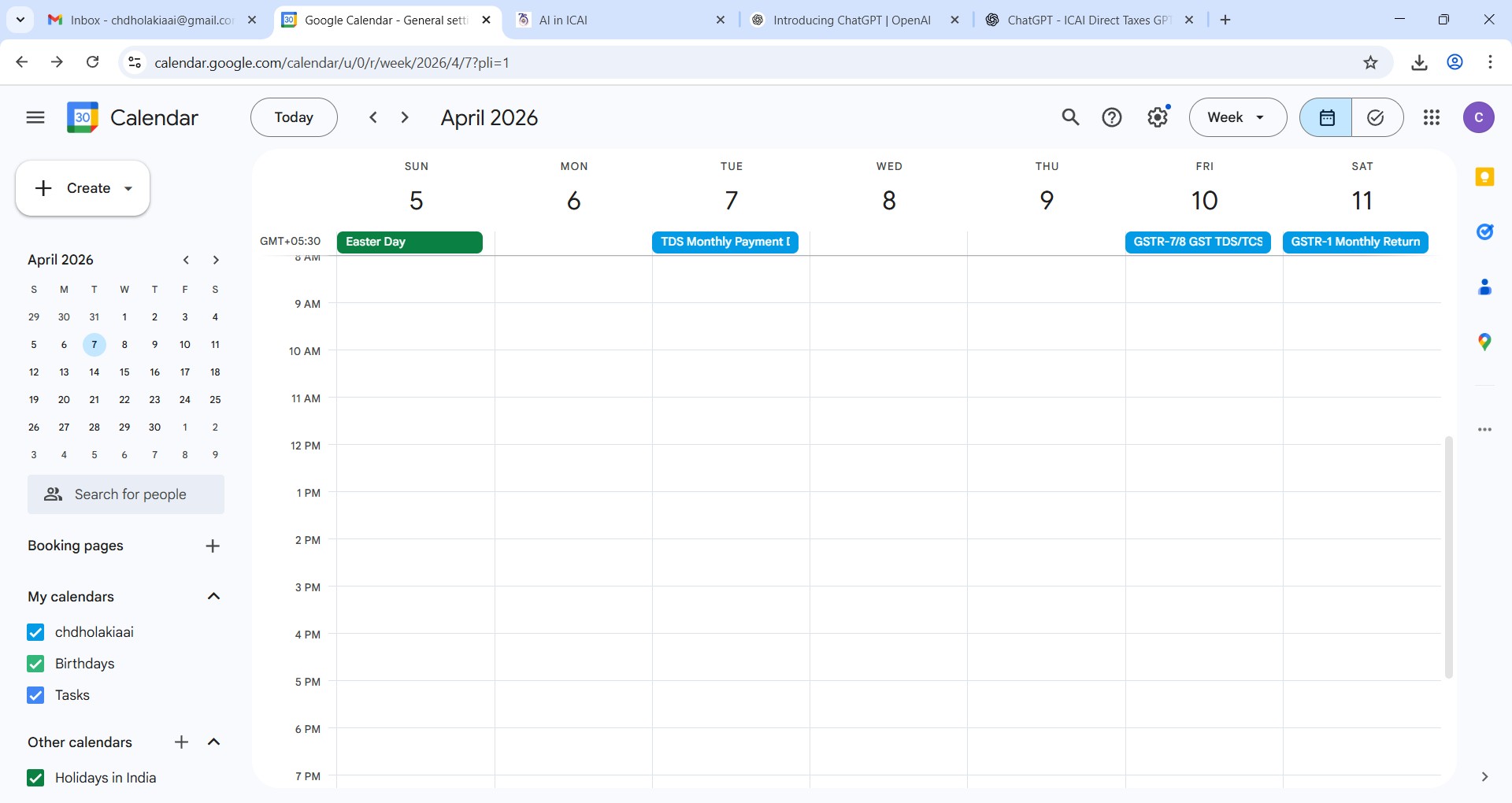

Prompt to create Income Tax, TDS and GST compliance calender
Problem
Google compliance calendar for due dates for Income Tax, TDS and GST return. It is applicable to all assessees. Due dates for payment of advance tax is also included in this calendar. This calendar is imported in google calendar. So remainder for the due date can be seen in mobile also. .csv file is generated using Direct Tax CA GPT and imported it into Google calendar.
Prompt Input
I am preparing a google calendar using csv file format and for which I need to generate information as per the format given by google calendar in help menu. Here is below the link and the instructions: https://support.google.com/calendar/answer/37118?hi=er Advanced: Create or edit .csv or iCal files before you import Create or edit a .csv file You can import .csv (comma separated values) files into Google Calendar. If you get an error when you import a .csv file, you might be able to fix the formatting. 1. Open an existing CSV file or create a new one using a spreadsheet editor like Google Sheets. 2. The first row of your spreadsheet will include headers such as Subject and Start date. The headers must be in English. See the list below for the correct headers. 3. Each row below the header row represents an event. For example: Subject Start date Start time Final exam 05/30/2020 10:00 AM 4. When you've finished, save the file as a .csv file. You can then import the file into Google Calendar using the instructions above. Format headers and events in .csv files Only the first two headers in this list are required. The rest are optional. Important: The headers must be in English, as shown below. If any event details have commas (like the location example given), you can include them by using quotation marks around the text. • Subject The name of the event is required. Example: Final exam • Start Date The first day of the event is required. Example: 05/30/2020 • Start Time The time when the event begins. Example: 10:00 AM • End Date The last day of the event. Example: 05/30/2020 • End Time The time when the event ends. Example: 1:00 PM • All Day Event Whether the event is an all-day event. Enter True if it's an all-day event, and False if it isn't. Example: False • Description Description or notes about the event. Example: 50 multiple choice questions and two essay questions • Location The location for the event. Example: 'Columbia, Schermerhorn 614' • Private Whether the event should be marked as private. Enter True if the event is private, and False if it isn't. Example: True For creating a csv file I want you to provide me with the Income, Tax, TDS and GST compliance calendar for all type of assessee. Please include all type of compliance for a large manufacturing and trading company which has 25 branches across India and the compliance take place at a central location in Bhuj. For this purpose, you may consider the calendar is being generated in the month of April 2026 and the calendar is up to the period ending to March 2027. So kindly provide me with the csv file considering the above format for enabling to import into the Google calendar as per the above instruction. Please add due dates to file Income Tax Return and payment of advance tax. Please also include due dates applicable to individuals and trusts. Method 1. Open Google calendar in gmail account. 2. Copy this prompt and paste it is Direct Tax CA GPT. 3. Download the .csv file from CA GPT. 4. Open Google calendar. Click settings-Import file. Import this .csv file in it. 5. See the due dates in google calendar.
Prompt Output
Google calendar having various due dates applicable to all type of assessees for income tax return, TDS return, GST return and payment of advance tax.