AI-Generated Applications Take a Step Beyond Traditional Chat Interfaces
Artificial Intelligence is entering a new phase in which users are no longer limited to asking questions, generating content, or receiving automated responses. They are increasingly able to create interactive digital tools that support their everyday professional and personal activities.
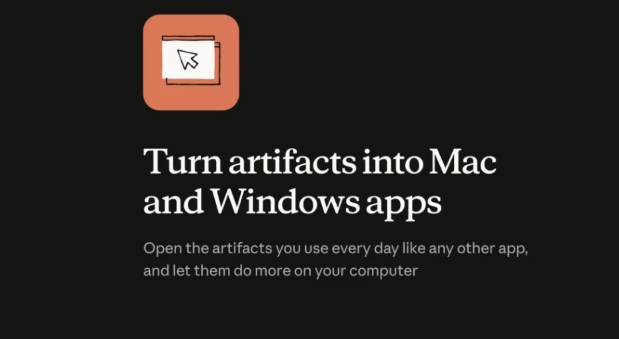
In this direction, Anthropic announced a new capability on November 24, 2026, allowing users to install AI-generated Artifacts as standalone desktop applications on Mac and Windows computers.
The feature, known as 'Install as App', is being introduced in beta and aims to make AI-created applications more accessible, functional, and convenient.
The development reflects a growing shift in the generative AI ecosystem: from AI systems that primarily respond to instructions towards AI systems that help users build and operate practical software applications.
What Are AI Artifacts and How Do They Work?
Artifacts are interactive digital creations generated through AI conversations. Instead of producing only text-based responses, an AI system can create structured and reusable outputs that users can interact with, modify, and share.
These creations can include:
- Interactive dashboards and data visualisations.
- Productivity and project management tools.
- Documents, presentations, and diagrams.
- Personalised tracking applications.
- Data organisation and workflow management tools.
- Interactive web-based applications and utilities.
For example, a user can describe a requirement for a task management dashboard, expense tracker, meeting preparation tool, or productivity application. The AI can then generate an interactive version that the user can review and refine.
Earlier, these creations were primarily accessed within the AI conversation interface. The new installation capability introduces another layer of usability by allowing supported Artifacts to function as separate desktop applications.
A New Desktop Experience: From AI Conversations to Independent Applications
One of the most significant aspects of this development is the ability to use AI-generated applications outside the traditional chat interface.
Once an eligible Artifact is installed, it receives its own desktop icon and opens in a dedicated window, similar to other applications installed on a computer.
This provides several practical advantages:
1. Independent Application Windows
Users can open installed Artifacts separately instead of navigating through previous conversations to locate them.
2. Dedicated Desktop Access
Installed applications can be accessed through the computer's application launcher, Start menu, or other supported desktop access points.
3. Easier Sharing
Users can share their applications with others, making it easier to distribute customised digital tools and collaborative workflows.
4. Automatic Updates
When the underlying Artifact is edited, the installed application reflects those changes automatically. This helps users maintain their applications without repeatedly creating or installing new versions.
5. Existing AI Account Integration
Users do not need to independently package or digitally sign the applications. The installed applications use the existing AI account and supported connectors, without requiring a separate API key or additional application login.
Together, these capabilities make AI-generated software more accessible to people who may not have traditional software development experience.
Operating System Integration Brings More Practical Capabilities
The new functionality goes beyond simply opening an AI-generated application in a separate window.
Installed applications can also interact with supported operating system features, depending on the permissions granted by the user.
Some of the available capabilities include:
- Sending desktop notifications.
- Responding to global keyboard shortcuts.
- Displaying windows above other applications.
- Adding shortcuts and functions to the macOS menu bar.
- Adding icons and functions to the Windows system tray.
These features could make AI-generated applications more useful in everyday workflows.
For instance, a user could create a productivity assistant that sends reminders, a task monitoring application that highlights pending activities, or a system monitoring utility that provides quick access to important information.
Such capabilities indicate how AI-generated applications could gradually become part of users' regular desktop environments rather than remaining limited to browser-based experiences.
Three Levels of Permissions: Balancing AI Capabilities and Computer Security
As AI applications become more deeply integrated with operating systems, data privacy and computer security become increasingly important.
To address this, the new feature introduces three levels of permissions that determine how an installed application can interact with the user's computer.
1. Default Permissions
Under the default permission level, installed applications operate within the same general restrictions as browser-based Artifacts.
They cannot independently access broader computer resources beyond the capabilities available in that environment.
2. App-Level Permissions
At this level, applications can request access to specific operating system features, such as:
- Sending notifications.
- Using keyboard shortcuts.
- Displaying windows above other applications.
- Accessing menu bar or system tray functionality.
Users can decide whether to approve individual permission requests.
3. Full Computer Access
This is the highest permission level. It allows an eligible application to request broader access to the computer, including the ability to run programs and read, modify, or delete files.
Since this level involves access to sensitive system resources, users should carefully evaluate the application and its source before granting permission.
An important security consideration is that permissions apply to the current version of an application. When the application is updated, including through changes made by its own creator, permission approval may be requested again.
This approach highlights the importance of maintaining user control as AI-powered applications gain access to more advanced computer capabilities.
From Personalised Dashboards to Intelligent Productivity Tools
The ability to install AI-generated applications could have applications across several professional sectors.
As organisations increasingly adopt AI-powered workflows, the demand for customised digital tools is also growing.
Some potential use cases include:
1. Business Intelligence and Data Analytics
Professionals could create interactive dashboards to monitor business performance, sales figures, operational activities, and key performance indicators (KPIs).
2. Project and Task Management
AI-generated applications could help users organise assignments, monitor project progress, track deadlines, and manage pending activities.
3. Personal Productivity
Users could build personalised reminders, daily planners, time management tools, and productivity trackers.
4. File and Document Management
AI-powered tools could help organise digital files, apply folder rules, and simplify document management activities.
5. Software Development
Developers could create specialised desktop utilities, coding assistance tools, and workflow applications to support their development activities.
6. System Monitoring
Applications could provide convenient access to computer performance information, system resources, and other monitoring features.
These examples demonstrate how AI-generated applications could support different professional requirements through customised software experiences.
AI-Assisted Software Development: Reducing Traditional Development Barriers
Another important dimension of this development is its potential impact on software development.
Traditionally, building a desktop application involves several stages, including programming, interface design, testing, packaging, and deployment.
AI-assisted application development is changing this process by allowing users to describe what they want in natural language and use AI to generate an initial working application.
Users can then refine the application through additional instructions and install supported creations directly as desktop applications.
This approach could make software development more accessible to non-technical professionals, business teams, analysts, and entrepreneurs.
However, AI-generated applications do not eliminate the need for software engineering expertise. Complex applications still require appropriate testing, security reviews, performance optimisation, and maintenance.
The development therefore represents an expansion of AI-assisted software creation rather than a complete replacement for conventional development practices.
Availability and Current Limitations
The 'Install as App' feature is being rolled out in beta for eligible users across supported plans.
At the initial stage, the feature supports Claude for Mac and Windows desktop applications. Users must remain online and signed in to their accounts to open installed applications.
There are also certain limitations:
- The feature is not currently available for Linux, mobile devices, or the web interface.
- Some Artifact formats, including Docs, Slides, and Sheets, cannot be installed.
- Organisations using certain HIPAA-ready configurations cannot access the feature.
- Enterprise administrators need to enable the functionality through organisational settings.
- Full computer access is restricted by default in relevant organisational configurations.
Additionally, requests made by installed applications to the AI system count towards the user's applicable plan usage limits.
These restrictions indicate that the functionality is still evolving and may expand as the technology develops.
The Bigger Picture: The Future of AI-Powered Desktop Applications
The introduction of installable AI-generated applications reflects a broader transformation in the relationship between artificial intelligence and software.
Until recently, generative AI was primarily associated with answering questions, writing content, summarising documents, and generating code.
Today, the focus is increasingly moving towards AI-powered agents, automated workflows, interactive applications, and tools that can perform specialised tasks within digital environments.
The emergence of installable AI Artifacts represents another step in this transition.
Instead of simply generating an idea or providing instructions, AI systems are increasingly helping users convert their requirements into functional digital products.
This could eventually influence how individuals and organisations approach application development, workplace automation, business intelligence, and digital productivity.
At the same time, greater integration with desktop operating systems will make responsible permission management, cybersecurity, data protection, and application reliability essential considerations.
Conclusion: Moving Towards a More Accessible AI-Driven Software Ecosystem
The ability to convert AI-generated Artifacts into standalone desktop applications represents a meaningful development in the evolution of generative AI.
By bringing interactive AI creations directly into the desktop environment, the technology is making customised software tools more accessible to a wider range of users.
The development also highlights an emerging direction for AI innovation, where natural language instructions, automated application creation, and operating system integration increasingly work together.
As AI-powered software development continues to mature, the distinction between using an AI assistant and building an application with AI may become increasingly blurred.
The future of artificial intelligence may not be limited to generating answers or content. It could increasingly involve helping people create, customise, and operate the digital tools they need in their everyday lives.
Source:indianexpress.gpt